Download the ISO, put it on a stick, then boot that stick.
You need an 8 GB or larger USB drive. Writing the image erases whatever is already on that stick, not your computer. The ISO is BOS 0.6.2, 1.8 GB, x86_64, published 19 Sep 2026. AMD and Intel work out of the box. NVIDIA is not a first-boot target.
1. Download
Save the image. One file is enough to install.
Optional: check the file
Windows, in PowerShell, next to the ISO:
certutil -hashfile bos-0.6.2-x86_64.iso SHA256
The hash should match the line in SHA256SUMS. Signed checksums (SHA256SUMS.asc, KEYS.asc) if you use gpg:
gpg --import KEYS.asc
gpg --verify SHA256SUMS.asc SHA256SUMS
sha256sum -c SHA256SUMS
1093 4AF3 323D 678E B5E2
2. Write it to the USB
Windows has no dd. Use a flasher with a window.
- Install Rufus.
- Plug in the USB. In Rufus, pick that drive and the BOS ISO.
- If it asks ISO image mode or DD image mode, choose DD image mode.
- Start. If Windows then says the disk must be formatted, click Cancel and eject the stick.
- Install balenaEtcher.
- Flash from file, pick the ISO, pick the USB, Flash.
Linux terminal, if you would rather: replace /dev/sdX with the whole disk, not a partition like sdb1.
sudo dd if=bos-0.6.2-x86_64.iso of=/dev/sdX \
  bs=4M status=progress conv=fsync
Already using Ventoy? Copy the ISO onto that USB and boot it from the Ventoy menu.
3. Boot the stick
Leave the USB plugged in and restart the computer. Open the firmware boot menu before Windows starts:
- Windows PC: mash F12, F10, Esc, or Del right after power-on. Dell is often F12, HP F9, Lenovo F12, ASUS Esc or F8.
- Mac: hold Option (⌥) as it chimes, then pick the USB.
- Choose the USB entry, not “Windows Boot Manager”.
If the stick is ignored or you get a Secure Boot error, reboot into firmware setup and turn Secure Boot off for this install. BOS is self-signed; Windows PCs will not trust it until you say so.
The live desktop opens the installer. Four screens, then reboot.
You are still running from the USB until you confirm a disk. Nothing on the computer is overwritten before that. Locale, keyboard, the target drive, and a user account are the only prompts.
A BOS desktop appears and the installer (Calamares) opens on its own. If it does not, look for Install on the desktop or in the launcher (Super+Space).
Pick language, region, and keyboard layout. Try a few keys in the test box so @ and quotes land where you expect.
Pick the internal drive you want BOS on. This erases that drive. Do not pick the USB stick (usually the smallest disk). Optional encryption is a checkbox on the Erase disk page.
Windows on that disk will be deleted. Copy off anything you need first. BOS is a whole-disk install, not an app you add next to Windows.
Name, username, and a password. When it finishes, reboot and unplug the USB so the machine starts from the new install, not the stick.
What the installer lays down, if you care:
@ @home @snapshots @log @cache, all noatime,compress=zstd. Snapper watches root only, so a rollback never drags your home directory back with it.
snapper + snap-pac take a pre and post snapshot around every pacman transaction. grub-btrfs adds each to the boot menu.
Optional LUKS on the installer's erase-disk page, with the matching cryptsetup, mkinitcpio, and GRUB wiring so it actually boots.
Self-signed via sbctl. Keys enroll automatically when the firmware is in Setup Mode; skipped cleanly otherwise.
greetd plus breadgreet under cage, then the Hyprland session. Plymouth holds the splash through the handoff, so boot never flashes a text console.
Every bread tool is baked into /usr/local at build time from a version-pinned lockfile, verified against a signed index. Nothing is fetched during install.
The bread stack is on the image, already on PATH.
Each app is its own project. Desktop tools arrive via the
bakery package manager and are baked into
/usr/local, so a fresh install has them with no round-trip.
breadlock is the exception: it ships as a pacman package because
it needs a root-owned PAM service. Most are zero-config on first boot;
Wi-Fi profiles in breadcrumbs are yours to fill in.
Reactive automation daemon. Normalizes hardware, compositor, power, network, and Bluetooth signals into semantic events dispatched to Lua modules.
Status bar and notification daemon in one process: workspaces, clock, system stats, tray, OSDs. Horizontal or vertical. No waybar, no dunst.
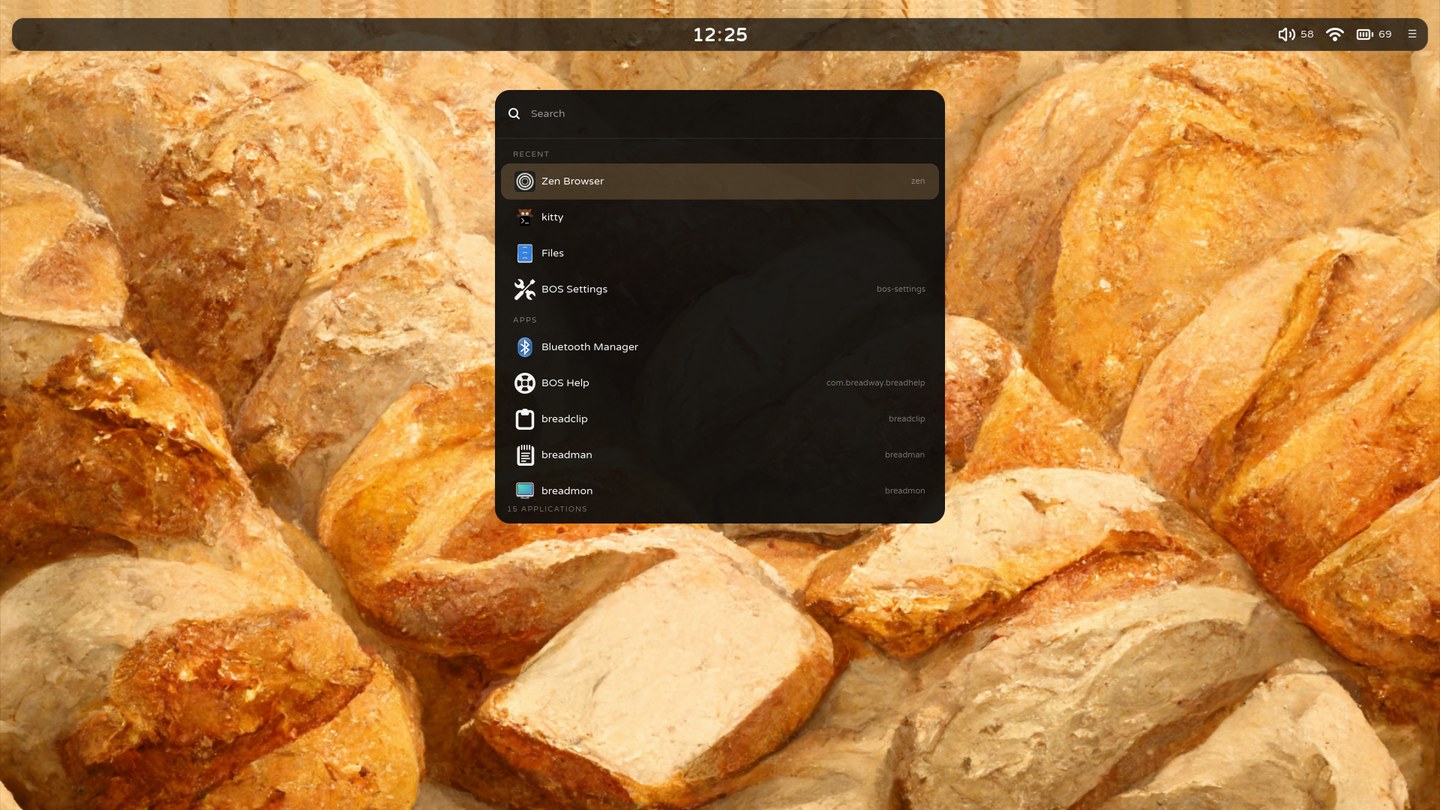
Application launcher with fuzzy search and per-context results.
Idle lock screen, and breadgreet the login greeter: one visual identity from boot to lock. Ships via pacman, not bakery.
The shared palette engine every bread app renders through. Fixed dark base, per-monitor accent palettes, declarative shell themes.
Quick-capture scratchpad with model-assisted classification, reminders, and optional CalDAV sync.
The fuller notes manager. Tauri 2 + Svelte; ships from the same package as breadpad.
Clipboard history with pinning. A daemon records; a popup browses without stealing the paste target.
Semantic system-wide search. Not on the default image; bakery install breadsearch if you want it.
Onboarding and in-session help: searchable guides, keybind viewer, troubleshooting wizard.
Talks to NetworkManager over D-Bus. Location-aware Wi-Fi profiles, captive-portal detection, optional Tailscale exit-node control.
Sets the wallpaper, derives the pywal accent palette from it, reloads every themed app.
TUI monitor layout manager: resolution, position, scaling, mirroring, live via hyprctl.
Screenshot tool wrapping grim, slurp, and wl-copy with multi-monitor-safe region select.
The ecosystem's package manager. Installs, updates, and tracks bread binaries and versions independently of pacman.
Tauri 2 and Svelte control panel: live system state and control, plus non-destructive config editing for every app here.
The desktop responds to what the machine is doing.
The difference between BOS and an Arch install with someone's dotfiles is
bread: a daemon that turns udev, Hyprland, power, network, and
Bluetooth events into a single semantic stream, and dispatches it to small
Lua modules in ~/.config/bread/. Apps talk to each other over the
same bus with a bread.command.<app>.<verb> convention.
local M = bread.module({ name = "dock", version = "1.0.0" })

function M.on_load()
  -- an external display was plugged in: run the docked layout
  bread.on("bread.monitor.connected", function()
    bread.exec("~/.config/bread/scripts/dock.sh")
    bread.notify("Docked", { urgency = "low" })
  end)

  -- battery got low and we are not plugged in: dim the screen
  bread.on("bread.power.battery.low", function(event)
    if not bread.state.power().ac_connected then
      bread.exec("brightnessctl set 40%")
      bread.notify("Battery " .. event.data.battery_percent .. "%, dimming")
    end
  end)
end

return M
Change the wallpaper and the whole desktop recolours.
Background, surface, and text are a fixed dark base that never moves. Accents
track the wallpaper per monitor: breadpaper derives a pywal palette,
bread-theme renders the shared stylesheet (and per-output palettes),
and every bread app live-reloads it. Shell themes can sit the bar on a side.
No rebuilds, and text stays legible because the ink colour is picked by contrast.
Set the wallpaper, run pywal on it.
Render the shared GTK stylesheet from the new palette.
Watch the file, reload in place, instantly.
If an update breaks something, reboot and pick a snapshot.
Recovery is a GRUB menu, not a command you have to remember under stress.
Every pacman transaction is already snapshotted, and /usr/local
rides the root snapshot with it.
Reboot, open the snapshots submenu, boot a pre-transaction snapshot. Settings lists each one's number, date, and description.
Settings → Backup runs restic over $HOME to a local path or SFTP. Snapper covers root only, so home is backed up separately.
Boot the ISO, run bos-rescue: it finds the installed root and ESP, shows what it will touch, and asks before reinstalling GRUB.
The installer always writes EFI/BOOT/BOOTX64.EFI, so a lost NVRAM entry is one firmware-menu pick away from booting.
Compressed swap in RAM, and a deny-incoming firewall with mDNS allowed, both on from first boot.
fwupd is wired in and surfaced in Settings → Firmware.
bos-settings covers the day-to-day, GNOME-Settings style.
A Tauri 2 and Svelte control panel with live system state and control. Panels backed by a daemon also show its systemd status with start, stop, restart, and logs. Bread configs are edited non-destructively, so your comments and hand-tuned keys survive.
Everything has a binding. Press Super + / for the rest.
Binds live as JSON, so breadhelp's cheatsheet and the Settings
editors read the exact same source. Super is the Windows or Cmd key.
| Super + Return | Terminal (kitty) |
| Super + Space | App launcher (breadbox) |
| Super + E / B | Files (nautilus) / browser (Zen) |
| Super + U / M | Notes (breadpad) / notes manager (breadman) |
| Super + , / / | BOS Settings / keybind cheatsheet |
| Super + L / N | Lock / log out |
| Super + V / Shift + V | Clipboard history (breadclip) |
| Super + Backspace | Close window |
| Super + Shift + S / C / P | Screenshot region to file / to clipboard / whole screen |
| Super + F / I / P | Fullscreen / toggle floating / pseudotile |
| Super + 1..0 | Switch workspace (add Shift to move the window) |
| Super + arrows | Move focus. Super+Shift+hjkl moves the window; Super+Shift+arrows resizes it |
| Media & brightness keys | Work everywhere, including the lock screen |
The rough edges, up front.
A distro that hides its constraints wastes your afternoon. Here are the ones worth knowing before you install.
The ISO carries Mesa only, so AMD and Intel just work. There is no NVIDIA driver or firmware on the image; bos-nvidia-setup (or a Settings button) installs the proprietary driver afterward, but that path is opt-in.
X11-only apps run through XWayland. Most are fine; a few misbehave.
Enrolled via sbctl when the firmware is in Setup Mode. BOS cannot ship a Microsoft-signed shim.
GRUB cannot unlock LUKS2 with Argon2id, so full-disk encryption uses LUKS1.
GRUB pins rootflags=subvol=@, so swapping the default subvolume is not what the next boot will use. Recovery is the GRUB snapshots submenu.
Hyprland is laggy under software rendering. Use virtio-vga-gl with -display gtk,gl=on.
Or skip the USB and run the ISO in a VM.
Build from source
On a native Arch machine, the image builds without a container. FAST_BUILD=1 swaps xz for zstd for quick iteration.
git clone https://git.breadway.dev/Breadway/bos
cd bos
sudo ./build-local.sh
The ISO lands in out/bos-<date>-x86_64.iso.
Try it in a VM
Boot the ISO under QEMU/KVM with virgl. Software rendering makes Hyprland laggy.
qemu-system-x86_64 -enable-kvm \
  -cpu host -m 8G -smp 8 \
  -device virtio-vga-gl \
  -display gtk,gl=on \
  -cdrom bos-0.6.2-x86_64.iso